The Double-Entry System Made Easy

The Double-Entry System Made Easy: A Guide for Small Business Owners

The Double-Entry System Made Easy: A Guide for Small Business Owners

If you’re running a small business in Durban or anywhere in South Africa, understanding how your finances are recorded is crucial. At Correct Books, we often meet business owners who feel overwhelmed by accounting jargon. One concept that comes up frequently is the double-entry system. Don’t worry—it’s simpler than it sounds, and it’s the backbone of accurate bookkeeping.


What is the Double-Entry System?

The double-entry system is a method of bookkeeping where every financial transaction affects at least two accounts. In simple terms, every debit has a corresponding credit.

This system ensures that your accounts are always balanced and helps prevent errors in your financial records. Think of it as a see-saw: for every amount going into one account, an equal amount comes out of another account.


Why the Double-Entry System is Important

Using the double-entry system provides multiple benefits for small businesses:

  • Accuracy: Ensures that all financial transactions are recorded correctly.
  • Error Detection: Makes it easier to spot mistakes since your accounts must always balance.
  • Financial Insights: Provides a complete picture of your business’s financial health.
  • Audit-Ready: Facilitates audits and simplifies tax compliance with SARS.

How the Double-Entry System Works

Every transaction involves two parts: debit and credit.

  • Debit (Dr): Represents an increase in assets or expenses, or a decrease in liabilities or equity.
  • Credit (Cr): Represents an increase in liabilities, equity, or income, or a decrease in assets.

Example 1: Buying Office Supplies with Cash

  • You buy R1,000 worth of stationery for your office.
  • Debit: Office Supplies Expense – R1,000
  • Credit: Cash – R1,000

Example 2: Receiving Payment from a Customer

  • A customer pays R5,000 for services.
  • Debit: Bank – R5,000
  • Credit: Sales Revenue – R5,000

Notice how each transaction affects two accounts and keeps the accounting equation balanced:

Assets = Liabilities + Equity


Types of Accounts in Double-Entry Bookkeeping

To use the system effectively, you need to understand the main types of accounts:

  1. Assets: Resources your business owns (e.g., cash, equipment, inventory).
  2. Liabilities: Obligations your business owes (e.g., loans, accounts payable).
  3. Equity: Owner’s investment and retained earnings.
  4. Revenue/Income: Money earned from sales or services.
  5. Expenses: Costs incurred in running your business (e.g., rent, salaries).

Best Practices for Small Businesses

  1. Record Transactions Promptly
    • Don’t wait until the end of the month. Record every transaction as it happens.
  2. Keep Source Documents
    • Invoices, receipts, and bank statements support your entries and are crucial for audits.
  3. Use Accounting Software
    • Software like QuickBooks, Xero, or Pastel simplifies double-entry bookkeeping and reduces human errors.
  4. Reconcile Accounts Regularly
    • Ensure your bank statements match your books. This helps detect errors quickly.
  5. Seek Professional Support
    • A bookkeeper can help set up your accounts correctly, maintain accuracy, and prepare reports.

How Correct Books Can Help

At Correct Books, we specialise in double-entry bookkeeping for small and medium businesses in Durban and KZN. We ensure your accounts are accurate, compliant, and easy to understand, giving you confidence in your financial decisions.

Whether you’re starting a new business or looking to streamline your bookkeeping, we can help you implement the double-entry system correctly so your books are always balanced and audit-ready.


Tip: Understanding the double-entry system is the first step toward mastering your business finances. With accurate records, you’ll gain better control over cash flow, expenses, and growth opportunities.

📞 Contact Correct Books today at www.correctbooks.co.za and let us make bookkeeping simple for your business!

Source Documents Explained: Examples and Best Bookkeeping Practices

SD

Source Documents Explained: Examples and Best Bookkeeping Practices

If you’re running a small business in Durban or anywhere in South Africa, understanding source documents is essential for accurate bookkeeping, tax compliance, and smooth business operations. At Correct Books, we help business owners organise their financial records and maintain proper documentation, so you never miss a transaction or a deduction.


What Are Source Documents?

Source documents are the original records that provide proof of a financial transaction. They are the foundation of bookkeeping, giving your business credibility and ensuring accuracy in your accounts.

Examples include invoices, receipts, bank statements, payroll records, and contracts. These documents are crucial when filing taxes, preparing financial statements, or undergoing audits by SARS.

Why they matter for small businesses:

  • Ensure accurate accounting of all transactions.
  • Maintain a clear audit trail for tax compliance.
  • Help track cash flow and expenses effectively.
  • Support financial decision-making and business planning.

Common Examples of Source Documents

Here are the most common source documents that every small business in South Africa should keep:

1. Invoices

  • Issued by suppliers or sent to customers.
  • Details include the date, amount, VAT (if applicable), and goods/services sold.

2. Receipts

  • Proof of payments made or received.
  • Important for expenses like fuel, office supplies, or meals.

3. Bank Statements

  • Shows deposits, withdrawals, and bank fees.
  • Essential for reconciling accounts and managing cash flow.

4. Purchase Orders

  • A formal request for goods or services from a supplier.
  • Helps track business commitments before payment.

5. Delivery Notes / Goods Received Notes

  • Confirms goods have been delivered and received.
  • Useful for inventory management and avoiding discrepancies.

6. Payroll Records

  • Includes payslips, deductions, and salary schedules.
  • Ensures compliance with labour laws and accurate employee payments.

7. Expense Claims

  • Employee submissions with receipts for reimbursable expenses.
  • Tracks company spending and keeps accounts accurate.

8. Contracts and Agreements

  • Leases, service agreements, and other financial commitments.
  • Outlines obligations and payment terms.

9. Tax Documents

  • VAT invoices, PAYE slips, and other official SARS documentation.
  • Supports tax filings and helps avoid penalties.

Best Practices for Managing Source Documents

Proper management of source documents saves time, prevents errors, and keeps your business audit-ready.

  1. Organise and Categorise
    • Keep documents by type, month, or supplier, either physically or digitally.
  2. Verify Accuracy
    • Ensure amounts, dates, and parties are correct before recording transactions.
  3. Digitise Your Records
    • Digital copies make retrieval easier and provide backups for safety.
  4. Maintain Chronology
    • Record documents in chronological order for easier reconciliation.
  5. Follow Retention Periods
    • Keep documents for 5–7 years to comply with SARS regulations.
  6. Implement Internal Controls
    • Assign responsibility for approvals and document management to avoid fraud or mistakes.

How Correct Books Helps South African Businesses

At Correct Books, we provide professional bookkeeping services tailored for small and medium-sized businesses in Durban and across KZN. We help you:

  • Keep your source documents organised and secure
  • Ensure your books are accurate and compliant
  • Prepare for audits and tax submissions
  • Gain clear insights into your business finances

With proper source document management, you’ll save time, avoid penalties, and make smarter business decisions.


Tip: Digitising your source documents today can simplify bookkeeping and make financial management far easier.

📞 Contact Correct Books today at www.correctbooks.co.za for professional bookkeeping services in Durban and KZN. Let us take the stress out of managing your finances!

Setting Up Your Bookkeeping Software and POS Integration

pos

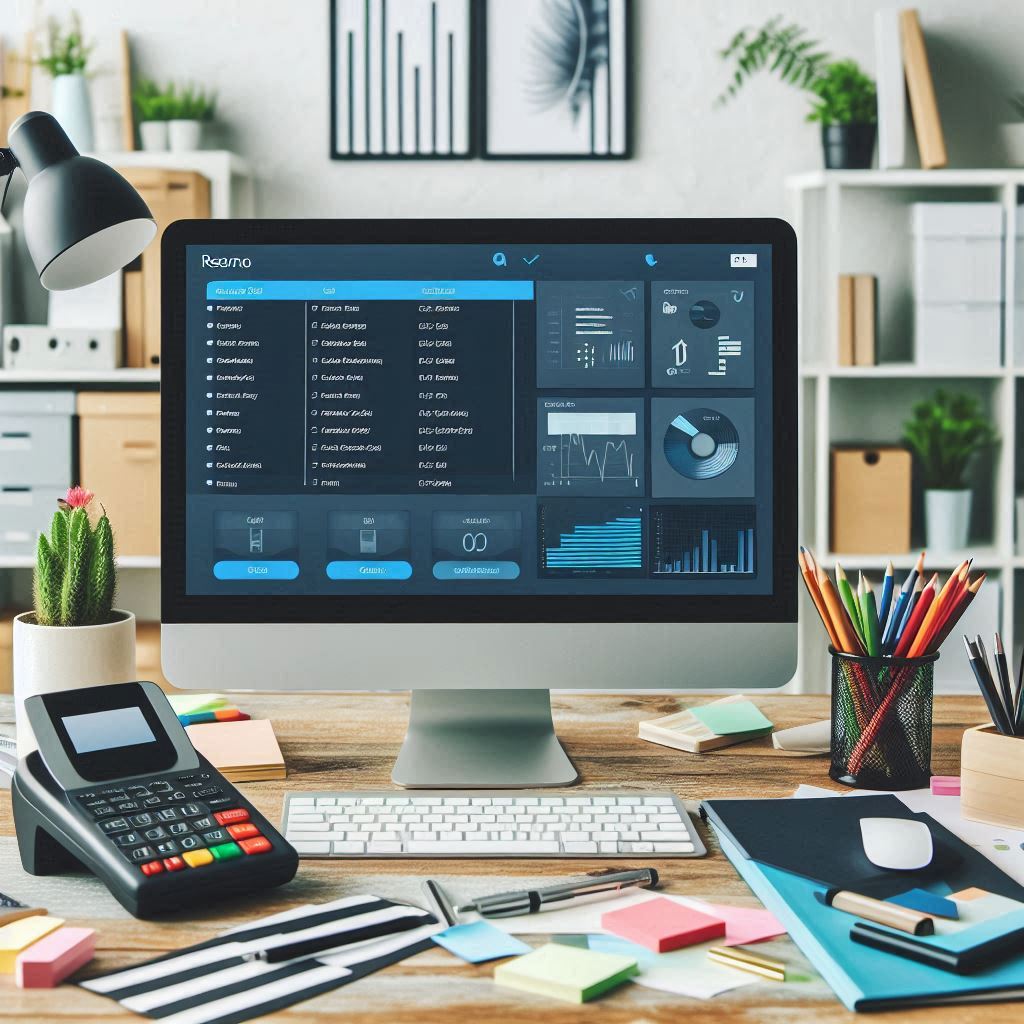
The Complete Guide to Setting Up Your Bookkeeping Software and POS Integration: For small business owners, keeping track of sales, invoices, and inventory can quickly become overwhelming. The good news is that modern bookkeeping software like Sage, Sage One (Sage Business Cloud Accounting), Xero, and QuickBooks, combined with a POS system, can automate much of this work.

This guide will walk you step by step through the process—from setting up your software to scanning a product and automatically updating your warehouse stock.


Why This Integration Matters

When your bookkeeping software talks to your POS system:

  • Invoices are accurate and complete
  • Inventory is automatically adjusted
  • Sales, stock, and customer data are synchronized
  • Manual errors and double entry are eliminated
  • You get real-time insight into your business performance

Steps:

1: Gather Your Key Documents

Before touching any software, make sure you have:

  • Chart of Accounts: Income, Expenses, Assets, Liabilities, Equity, Owner’s Capital, Drawings
  • Customer and supplier lists
  • Bank statements
  • Inventory list: SKUs, product names, barcodes, and warehouse locations

Having this information ready ensures your setup is correct from the start.


2: Set Up Your Accounting Software

Choose one of the popular options:

  • Sage / Sage One – robust accounting or cloud-friendly solution for small businesses
  • Xero – cloud-based, great for multi-currency and remote access
  • QuickBooks – beginner-friendly, easy to use

Then:

  1. Create your company profile – business name, registration number, financial year-end, default currency
  2. Set up your Chart of Accounts –
    • Nominal accounts (Income & Expenses: 1000–4999)
    • Balance Sheet accounts (Assets, Liabilities, Equity: 5000–9999)
    • Include Owner’s Capital and Drawings

3: Connect Bank Accounts

  • Link your business bank and credit card accounts to import transactions automatically
  • Ensure bank feeds reconcile deposits and payments with your bookkeeping records

4: Add Customers and Suppliers

  • Enter customer details for invoicing
  • Enter supplier details to track purchases
  • Include payment terms and VAT/tax rates for accurate reporting

5: Set Up Products for POS

For POS integration:

  1. Create Products in POS – include SKU, barcode, price, tax, and warehouse location
  2. Link POS Products to Accounting Software – each SKU in the POS must match the corresponding inventory item in your bookkeeping software
  3. Assign Warehouse Locations – essential if you manage stock in multiple warehouses

6: Integrate POS with Bookkeeping Software

Popular POS integrations:

  • Sage One – Epos Now, AccuPOS, Talech, Shogo, Square POS
  • Xero – Lightspeed, Hike, Loyverse (via Amaka)
  • QuickBooks – Shopify POS, Square POS, Revel POS

Benefits:

  • Automatic invoice creation
  • Real-time inventory updates
  • Accurate sales and customer tracking
  • Reduced manual data entry

7: How a Sale Works

  1. Scan the Product – The POS reads the barcode and identifies the item
  2. Line Item Added to Invoice – Quantity, unit price, and tax are automatically populated
  3. Inventory Updated – Stock is deducted from the correct warehouse location in real-time
  4. Invoice Synchronized – The sale appears in your accounting software as a fully itemized invoice
  5. Reporting – Sales reports, stock levels, and revenue are updated automatically

This process ensures every product sold is accounted for, the warehouse is updated, and your financial records are always accurate.


8: Customize Reports & Alerts

  • Set up Profit & Loss, Balance Sheet, and Cash Flow reports
  • Configure alerts for low stock, overdue invoices, or tax deadlines
  • Use these reports to make informed business decisions

9: Backup & Security

  • Ensure cloud backups or schedule regular local backups
  • Set user permissions for different access levels
  • Use strong passwords to secure your data

Tips for Smooth Setup

  • Start with recent transactions before uploading historical data
  • Use templates for invoices and reports
  • Maintain consistent SKUs and warehouse locations between POS and bookkeeping software
  • Regularly check integration logs to ensure sales and stock sync correctly

Bottom Line

When set up correctly, your POS and bookkeeping software become a single, automated system:

  • Scan a product → Line item on invoice → Warehouse stock updated → Real-time financial reporting

This integration saves time, reduces errors, and gives you a clear picture of your business, allowing you to focus on growth rather than manual bookkeeping.

💡 If this setup feels too tedious or time-consuming, let Correct Books take care of it for you. We’ll handle your bookkeeping, POS integration, and inventory management, so you can focus on running and growing your business with confidence.

How to Choose the Right Accounting Method: Cash vs Accrual

cashvsaccrual

How to Choose the Right Accounting Method: Cash vs Accrual: Managing a business is hard enough without confusion over your finances. One key decision that can make or break your money management is choosing the right accounting method. Pick the wrong one, and you might struggle to see your real profits or run into cash flow headaches. Pick the right one, and managing your business becomes much simpler. Let’s break it down in plain English so you can decide what works for you.


💰 Cash vs Accrual Made Simple

Here’s an easy table to make it crystal clear:

TermWhat it MeansWhen You Record IncomeWhen You Record ExpensesThink of it as…
Payments BasisCash basisWhen money actually hits your bankWhen you actually pay a bill“Cash in my hand”
Invoice BasisAccrual basisWhen you send an invoice, even if not paid yetWhen you get a bill, even if not paid yet“Money I’m owed and owe”
Cash AccountingSame as Payments BasisSame as aboveSame as aboveSimple & easy
Accrual AccountingSame as Invoice BasisSame as aboveSame as aboveGives full financial picture

📊 Example to Make It Clear

  • You sell R5,000 of goods in October but the client pays in November.
    • Payments/Cash Basis: Record income in November.
    • Invoice/Accrual Basis: Record income in October.
  • You get a supplier bill of R1,500 in October but pay in November.
    • Payments/Cash Basis: Record expense in November.
    • Invoice/Accrual Basis: Record expense in October.

💡 Tip:
Cash basis shows the cash you actually have, while accrual shows the real profit, including what’s owed to you or by you.


✅ Which Method is Best for Your Business?

  1. Simple business, few transactions: Cash/payments basis is easier and faster.
  2. Planning to grow or carry inventory: Accrual/invoice basis gives a clearer picture of profits.
  3. Cash flow matters most: Cash/payments basis helps you see the money in your bank.
  4. Tax planning: Cash basis can help defer tax payments, but accrual matches income and expenses better.

🔄 Switching Methods

If your business grows or your needs change, you can switch methods, but it requires careful planning and sometimes tax adjustments. A professional bookkeeper can make this smooth and stress-free.


📌 Bottom Line

Choosing the right accounting method gives you control over your business finances, saves headaches, and helps you plan for growth.

  • Cash/Payments Basis: Simple, practical, perfect for small startups.
  • Invoice/Accrual Basis: Full financial picture, ideal for growing businesses.

Need help figuring out which method works best for your business?
Contact Correct Books today and let us handle your bookkeeping, so you can focus on growing your business.

What Is Bookkeeping? A Small Business Guide

Bookkeeper

Introduction: Why Should You Even Care About Bookkeeping?

Let’s be real — when you started your business, you probably didn’t dream about spreadsheets, invoices, and receipts. You had a vision: products to sell, services to offer, clients to win. Bookkeeping? That was for “later.”

But here’s the truth:
If you don’t understand your money, your business is flying blind.

Bookkeeping is the foundation of understanding your business finances. Without it, you’re making decisions based on vibes — not numbers.

This guide is for you — the freelancer, the hustler, the start-up warrior, or even the established business owner who’s been “winging it.” We’ll break bookkeeping down into plain English, no jargon, no shame.


So… What Is Bookkeeping, Exactly?

Bookkeeping is the process of tracking and recording all the money that flows in and out of your business.

That’s it. Simple.

If you’ve ever written down what a customer paid you, or logged a receipt for something you bought for your business — you’ve already done bookkeeping.

But doing it right means:

  • Keeping all your financial records accurate and up-to-date
  • Categorising them correctly
  • Preparing for tax season
  • Making sure you actually know if your business is profitable

What Does a Bookkeeper Actually Do?

Here’s what a professional bookkeeper (or a good cloud-based system like Sage or Xero) might handle for your business:

🧾 TASK💬 WHAT IT MEANS
Sales InvoicingMaking sure every time you make a sale, it’s recorded — so you get paid.
Capturing ExpensesLogging all costs — rent, stationery, fuel, subscriptions, etc.
Supplier InvoicesRecording the money you owe to your suppliers.
Bank ReconciliationMatching your books with your bank statements — no missing or double entries.
Payroll JournalsRecording salaries, PAYE, UIF, etc.
VAT CalculationsKeeping track of VAT collected vs VAT paid (if you’re VAT registered).
Trial BalanceA snapshot of your financial health — income, expenses, assets, liabilities.
ReportsIncome statements, balance sheets, cash flow reports — the works.

Why Bookkeeping Is Non-Negotiable for Your Business

If you’re still asking: “Can’t I just wait until year-end and give my stuff to an accountant?”

Here’s what you risk by NOT doing proper bookkeeping:

❌ You’ll Make Bad Financial Decisions

If you don’t know how much profit you’re making (or if you’re making any), how can you plan, grow, or invest?

❌ You’ll Miss Tax Deadlines

No records = no VAT returns = late penalties from SARS = headaches you don’t need.

❌ You’ll Look Unprofessional

Try applying for funding or pitching a serious client without up-to-date books. No investor or lender will take a chance on a business that can’t even produce a basic income statement.

❌ You Could Run Out of Cash

You may have R100k in the bank today… but how much of that is owed to SARS, suppliers, or staff? Good bookkeeping shows you the real picture.


What’s the Difference Between Bookkeeping and Accounting?

Great question. Think of it like this:

  • Bookkeeping is about recording transactions (the groundwork).
  • Accounting is about interpreting those records — analysing, advising, and doing the big-picture stuff.

You can’t have one without the other.


Can You Do Your Own Bookkeeping?

Yes. Especially if:

  • Your business is small
  • You’re not registered for VAT yet
  • You use cloud software like Sage Business Cloud, Xero, or QuickBooks

But… as you grow, you’ll want a professional bookkeeper (like Correct Books 😉) to step in and save you time, stress, and sleepless nights.


What You Need to Start Bookkeeping Today

If you’re ready to start, here’s what you need:

  • ✅ A business bank account (never mix personal and business money)
  • ✅ A simple spreadsheet OR accounting software
  • ✅ A folder or app to store all invoices and receipts
  • ✅ A basic chart of accounts (categories like Sales, Rent, Fuel, etc.)
  • ✅ A few hours a week to keep your books updated

Or… get help.


Final Word: Don’t Fear the Books — Master Them

Bookkeeping isn’t about math. It’s about control.

It’s how you:

  • Avoid chaos
  • Keep SARS happy
  • Make smarter decisions
  • Build a real, sustainable business

You don’t have to love it — but you do need to respect it.

And if you want to get serious about your finances, you know where to find us.


Correct Books
📘 Smart Bookkeeping for Smart Businesses
📧 Contact Us